In recent weeks, I completed Northwestern University’s Organizational Leadership Specialization on Coursera. While the courses span different topics- storytelling, social influence, negotiation, and more- two recurring themes stood out to me.
1. Preparation changes everything Effective leadership and communication rarely happen “in the moment.” Preparation matters – even when you don’t yet know the formal frameworks or terminology.
Whether it’s thinking through your BATNA (Best Alternative to a Negotiated Agreement), identifying your ZOPA (Zone of Possible Agreement), or simply anticipating objections, the key habit is stepping into the other side’s perspective before the interaction happens. Strong outcomes are usually built long before the conversation begins.
2. The audience is the message People are driven by different motivations, constraints, and perceptions. That means the same message can land very differently depending on how – and to whom – it is delivered.
Leadership is not just about what you say, but how you tailor it: language, framing, medium, and emphasis all matter. This is something I first learned as a scout leader, and it has stayed with me for nearly 25 years. It remains one of the most consistently useful leadership principles I’ve encountered.
At the same time, I’ve often seen a common anti-pattern: leaders trying to motivate others based on what motivates them, rather than what actually drives the person in front of them. Good intent, misaligned execution.
Ultimately, both lessons point to the same idea: leadership is less about projecting your intent and more about deeply understanding context – both the situation and the people in it.
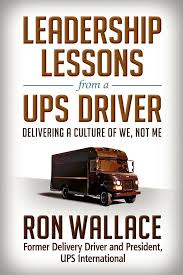
Ron Wallace started as a UPS driver in rural Idaho in 1966 and retired 36 years later as President of UPS International, running operations in 200+ countries. His book, “Leadership Lessons from a UPS Driver,” turns that climb into a handful of blunt, unglamorous principles. Here are four insights that stayed with me –
1. Best 5 vs 5 best.
Five average players who move as a unit beat five stars who don’t. With AI blurring roles – PMs writing code, engineers writing specs – how well a team moves together matters more than any one person’s skill ceiling.
2. Manage yourself before you manage others.
You can’t ask for discipline you don’t have. When everyone has an agent doing part of their job, self-management – what to delegate, what to check, what to own – is the whole game.
3. 10% planning, 90% execution.
That ratio assumed execution was the bottleneck. Agents and other tools now handle much of the execution. Does the split flip? Not sure – bad planning just produces fast, wrong output at scale. But the balance is shifting, and finding the new ratio is one of the more interesting problems before us.
4. Change is inevitable; growth is optional.
UPS survived by repeatedly outgrowing its own identity. Feels like the line of the year – nobody’s job description is stable, and adapting is a choice, not a default.
AI coding agents burn tokens on things they don’t need to see in full – verbose logs, entire files read for one function, repeated context across turns. A wave of tools now attacks this from different angles: some rewrite noisy output before it reaches the model, some compress what’s already in context, some change what the agent generates or reads in the first place. Here is a short survey about the different tools.
rtk — github.com/rtk-ai/rtk A CLI proxy that hooks into Bash tool calls and rewrites common commands (git status, cargo test, kubectl, etc.) into compact equivalents before output hits context – a noisy git push becomes ok main. Claims 60–90% savings on covered operations, plausible since the approach is narrow and mechanical. Watch for: only intercepts Bash calls – native Read/Grep tool usage bypasses it entirely, so real-world savings depend heavily on how your agent works. Best for: teams whose agents lean on shell commands for everything (git, test runners, infra CLIs); less useful if the agent mostly reads files directly.
Caveman — getcaveman.dev A family of products: a compression skill, a standalone token-budgeted coding agent, a persistent memory layer, and a compression proxy (beta). Claims ~65% token reduction. Watch for: thin evidence – the site leans on stars and HN placement rather than a reproducible benchmark; the four products make it unclear which piece drives the number. Best for: teams wanting a single umbrella tool across several angles at once, and willing to validate the number themselves before committing.
Ponytail — alphamatch.ai/blog/ponytail-ai-coding-skill-2026 Attacks generation, not context: forces the model through a “does this need to exist” ladder before writing code, preferring stdlib/native/existing-dependency solutions. Own benchmark shows LOC cut to ~46% of baseline and cost down by 47–77%, but token usage itself drops only by ~16%. Watch for: it’s solving a different problem than the others — don’t expect it to shrink context windows; the win is fewer lines and less rework, not less reading. Best for: codebases with a lot of unnecessary custom code; less relevant if your token spend is mostly context/tool output, not generation.
Headroom — headroom-docs.vercel.app/docs Compresses everything an agent reads — tool output, file reads, API/DB responses — via type-specific compressors, with a reversible retrieve path back to full detail. Vendor case study: 87.6% fewer input tokens in a log-heavy scenario. Watch for: numbers are vendor case studies on scenarios they chose; the retrieval mechanism adds a round trip when the model needs detail back. Best for: agents that use tools heavily against verbose sources (logs, API responses, DB queries); less relevant for short, code-only sessions.
Graphify — github.com/Graphify-Labs/graphify Avoids re-reading altogether: builds a local knowledge graph of the codebase, then the agent queries it instead of repeatedly grepping files. Watch for: it’s not compression — savings materialize only over a session with repeated lookups in a large, stable codebase; non-code content (docs, PDFs) still requires API calls to extract. Best for: large, mature repos with frequent navigation; little benefit for small projects or one-off tasks.
Tool
Mechanism
What it targets
Claimed savings
Evidence
rtk
Rewrites known-noisy CLI output
Bash tool output only
60–90% on covered ops
Vendor, narrow scope
Caveman
Compression skill + memory layer + proxy
Prompts, outputs, cross-turn context
~65% tokens
Vendor, thin (stars/HN)
Ponytail
Decision ladder before writing code
Code generation, not context
~16% tokens; 47–77% cost; 3–6x speed
Vendor benchmark (5 tasks × 3 models)
Headroom
Type-aware compression + reversible cache
All tool/context input
87.6% input tokens (case study)
Vendor case study
Graphify
Knowledge graph instead of re-reading files
Repeated file reads/greps
Not quantified
Vendor, mechanism differs from compression
I want more. Can we stack them on one another?
Each method targets different layers, so most combinations aren’t mutually exclusive. Ponytail acts at generation time (what code gets written), Graphify acts at retrieval time (avoiding re-reads), and rtk/Caveman/Headroom all act at the context-shaping layer, i.e., what enters the prompt. In principle, we can run all method at once without them fighting each other structurally.
Where it gets tricky is the overlap among the context-shaping tools. rtk and Headroom both intercept and rewrite content before it reaches the model, just at different points – rtk hooks Bash tool calls while Headroom sits more generally across tool outputs, file reads, and API responses. Stacked, we’re likely to get diminishing returns rather than additive savings: once rtk has already collapsed a git status to one line, there’s little left for Headroom to compress on that same output. Caveman’s compression skill/proxy likely overlaps with both in the same way—three tools converging on the same noisy CLI output mostly means redundant passes, not three times the savings. Worse case: extra latency for near-zero extra token reduction.
Ponytail and Graphify are the cleaner additions. Ponytail’s effect is upstream of everything else (less code gets written and read in the first place), so it should compound with anything downstream rather than compete with it. Graphify’s effect is about not re-fetching content at all – if the agent never re-reads a file, there’s nothing left for rtk/Caveman/Headroom to compress on that read, which sidesteps the overlap problem entirely rather than creating one.
The more promising stack is probably Ponytail (write less) + Graphify (re-read less) + one of rtk/Caveman/Headroom (compress what’s left) — rather than running all three context-shaping tools together, which likely adds overhead with little additional token savings.
Reducing token cost is an issue every firm currently deals with, and it isn’t one problem – it’s at least three: noisy tool output, unnecessary code generation, and repeated re-reading of the same content. rtk, Caveman, and Headroom all attack the first at different points in the pipeline, with real but overlapping coverage. Ponytail attacks the second, upstream of everything else. Graphify sidesteps the third by building a queryable map instead of re-fetching files. None of these are competing solutions to the same problem so much as partial answers to different pieces of it – which means the right setup is probably a small combination, not a single winner, and probably depends more on where your own token spend actually goes (shell noise vs. generated code vs. repeat lookups) than on any vendor’s headline number. All of the figures cited here are self-reported, and the stacking behavior is reasoned from mechanism rather than measured – so treat this as a map of what to test, not a verdict on what to use.



 Tom Ron